
Your Claude Code setup,
on one page.
Claude Storehouse is a free local dashboard. It shows every skill, agent, plugin, hook, MCP
server, setting, and CLAUDE.md for your global ~/.claude and for your project.
Switch them on or off in one click.
- 1 command, any folder
- 1 runtime dependency
- 0 data leaves your machine
- 20 backups kept per file
Live demo
Click around the real dashboard
This is the real app code, running in your browser with a sample setup. Switches, stars, and edits change only this page. Reload to start again. Things to try:
- Switch api-design off on Skills, then undo it on the Activity page
- Drag a favorite into the Review category
- Open CLAUDE.md, edit it, and press ⌘S
- Press / and type review
- Switch the toolkit plugin off and look at its skills
- Open Settings, then Effective: model comes from the local file
On a phone the demo is small. Open it full screen, or try it on a computer.
Features
Everything /plugin and raw JSON do not show you
Dashboard and usage
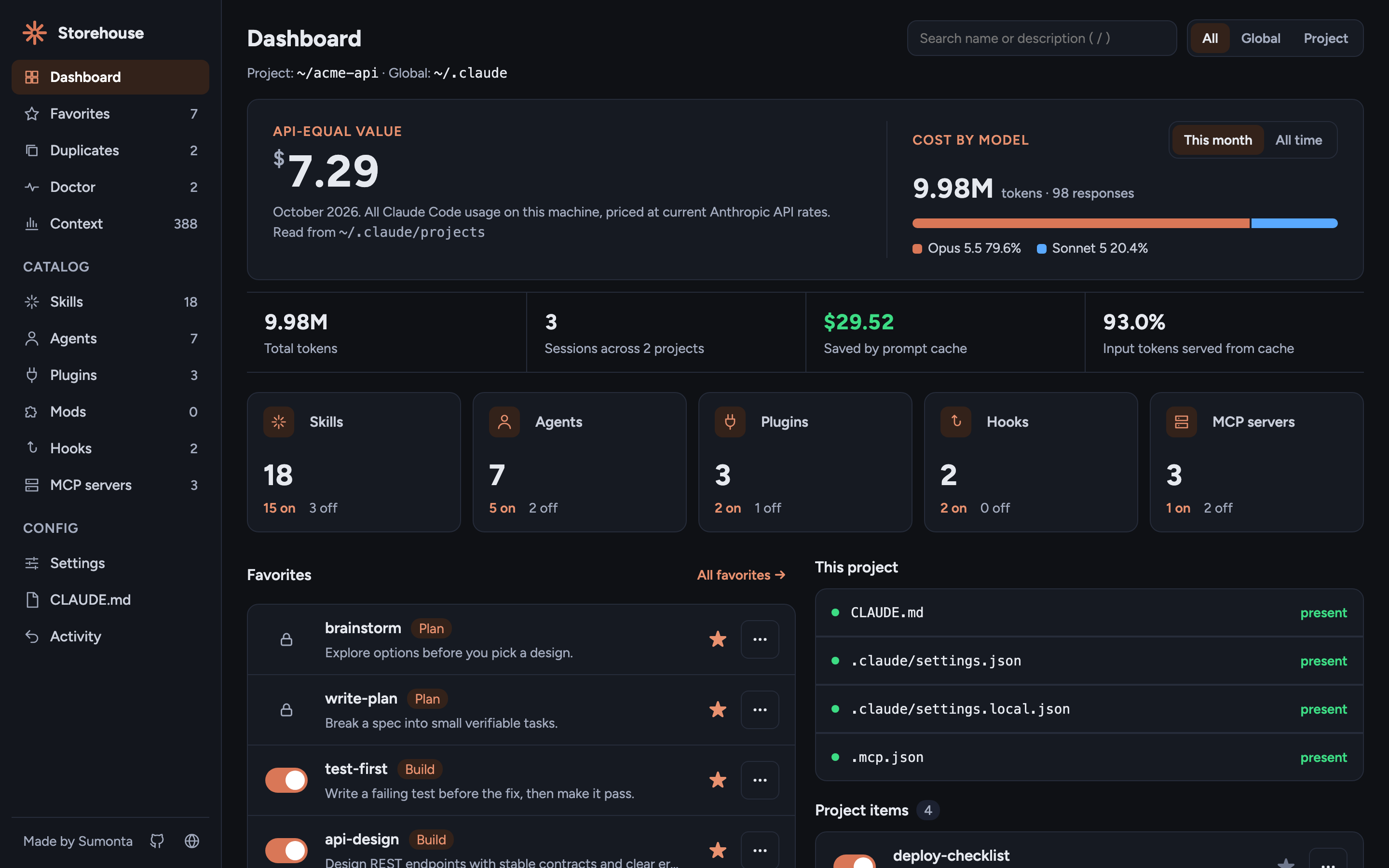
One look at your whole setup: how many items are on and off, your favorites, recent changes, and which Claude Code files this project has.
- API-equal cost of your Claude Code use, by model
- Tokens, sessions, projects, and prompt-cache savings
- Reads token counts and tool names, never prompts or message text
- Counts for skills, agents, plugins, hooks, and MCP servers
Skills and agents
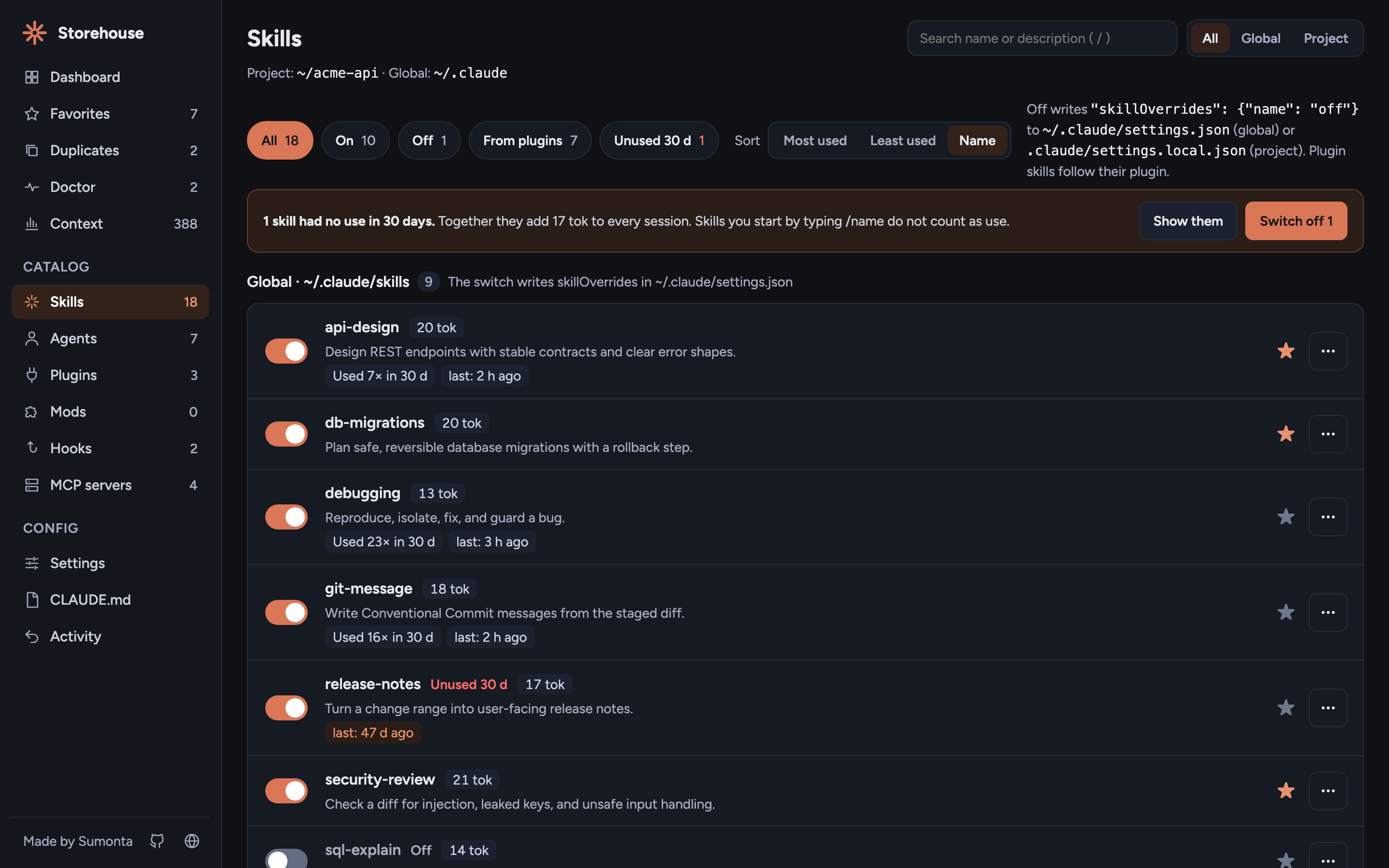
Global, project, and plugin skills and agents in one list. Each switch shows the file it writes before you click, and a toast names the file after.
- Filter by scope and press / to search
- Use in the last 30 days, an Unused filter, and a sort by use
- Plugin skills show "via plugin X" and follow their plugin
- Fork a plugin skill to
~/.claude/skills
Favorites
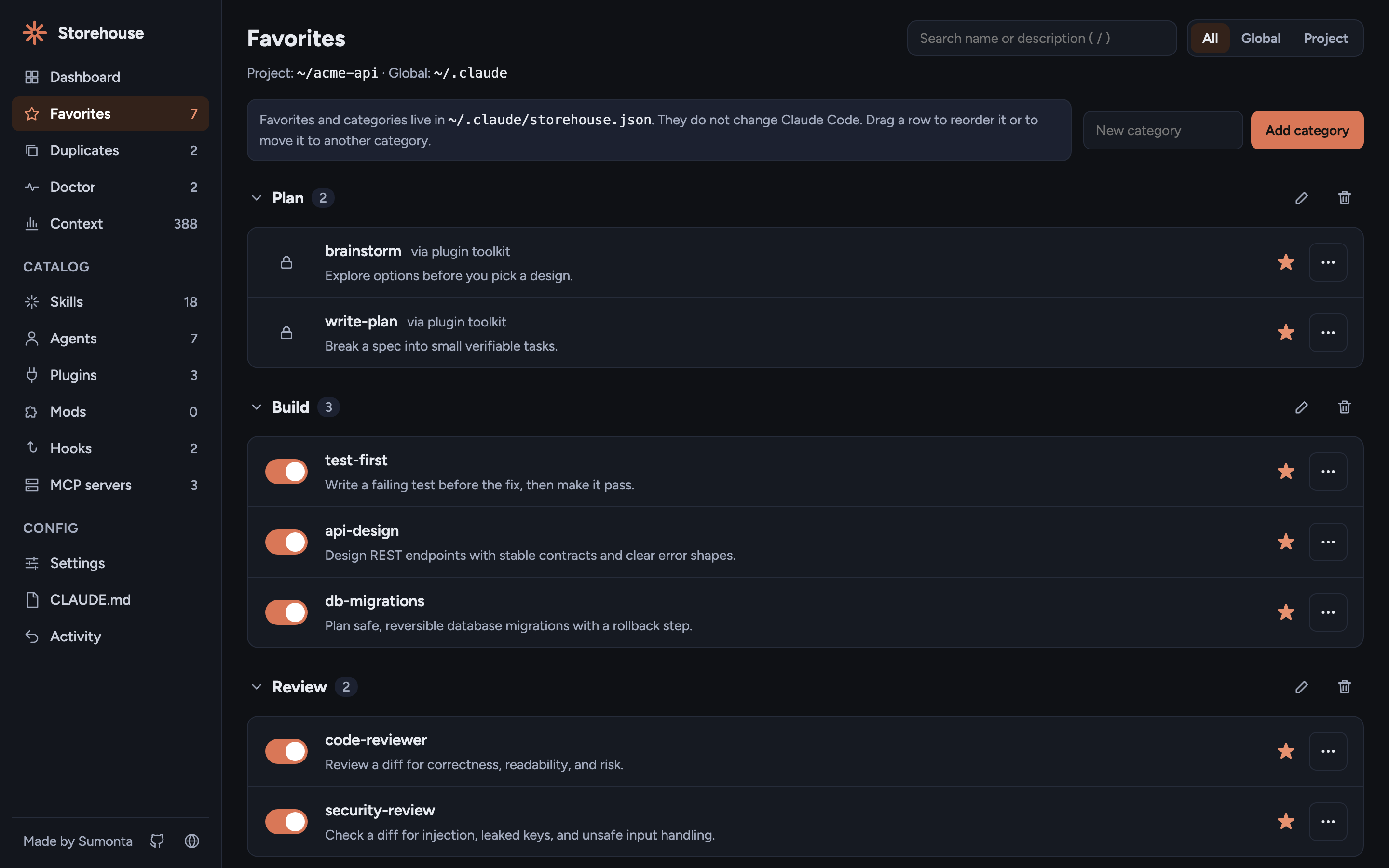
Star the skills, agents, and plugins you use most. Group them in your own categories and drag them into order.
- A favorite stays in the list when you switch it off
- A favorite whose item is gone shows "missing"
- Rename and delete a category, with undo
- Stored in
~/.claude/storehouse.json
Plugins and mods
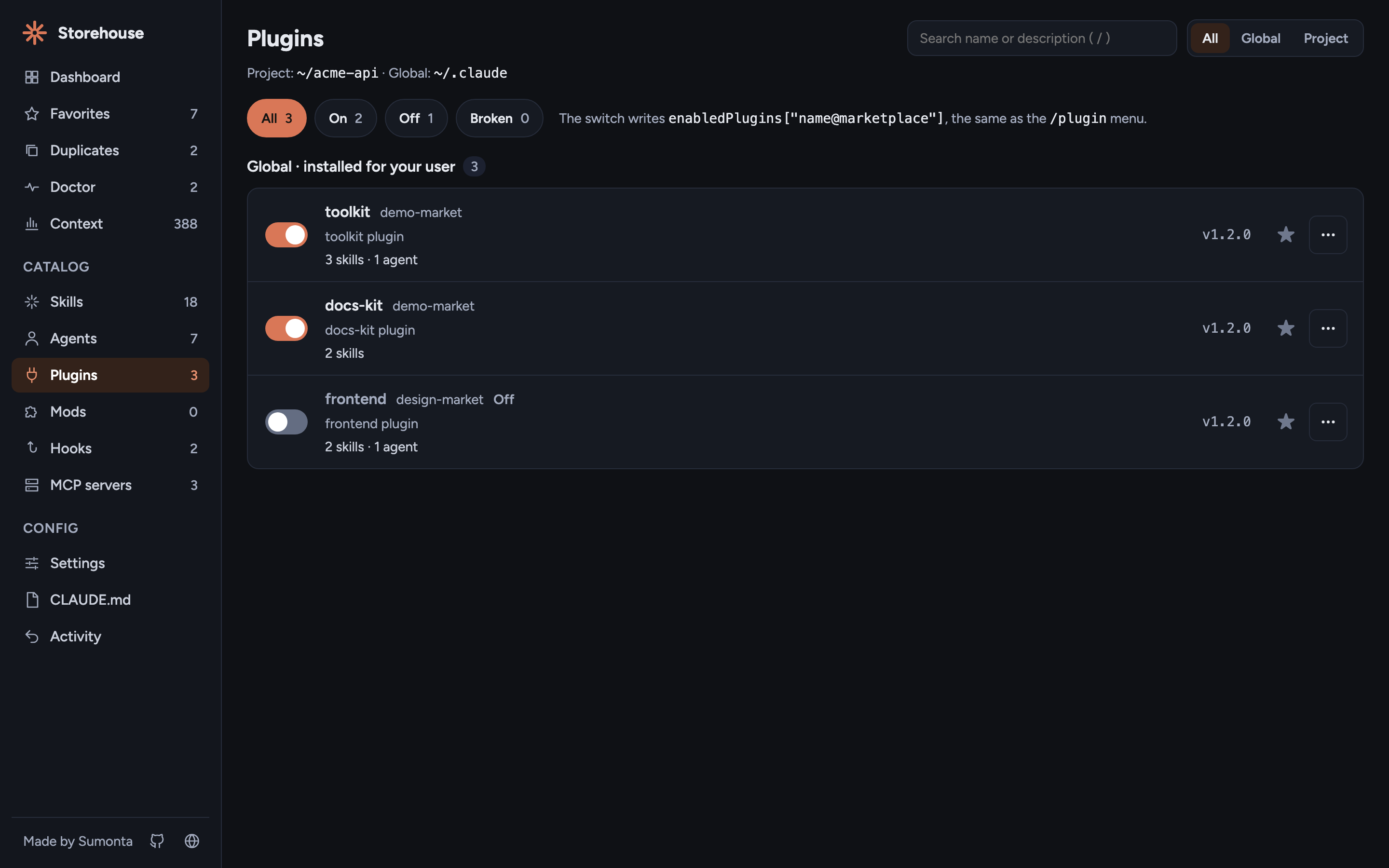
Every installed plugin with its marketplace, version, skills, agents, hooks, and MCP servers. Switch a plugin off and all its parts go off with it.
- Uses
enabledPlugins, the key Claude Code reads - Uninstall runs
claude plugin uninstallwith the right scope - Mods page: installed mods and mods in development
Hooks and MCP servers
Hooks from every settings file and plugin, by event and matcher. MCP servers from
~/.claude.json, .mcp.json, and plugins, with secrets masked.
- Switch a hook off: it parks safely and comes back on undo
- MCP switches use Claude Code's own disable lists
- Add a hook or an MCP server from a form
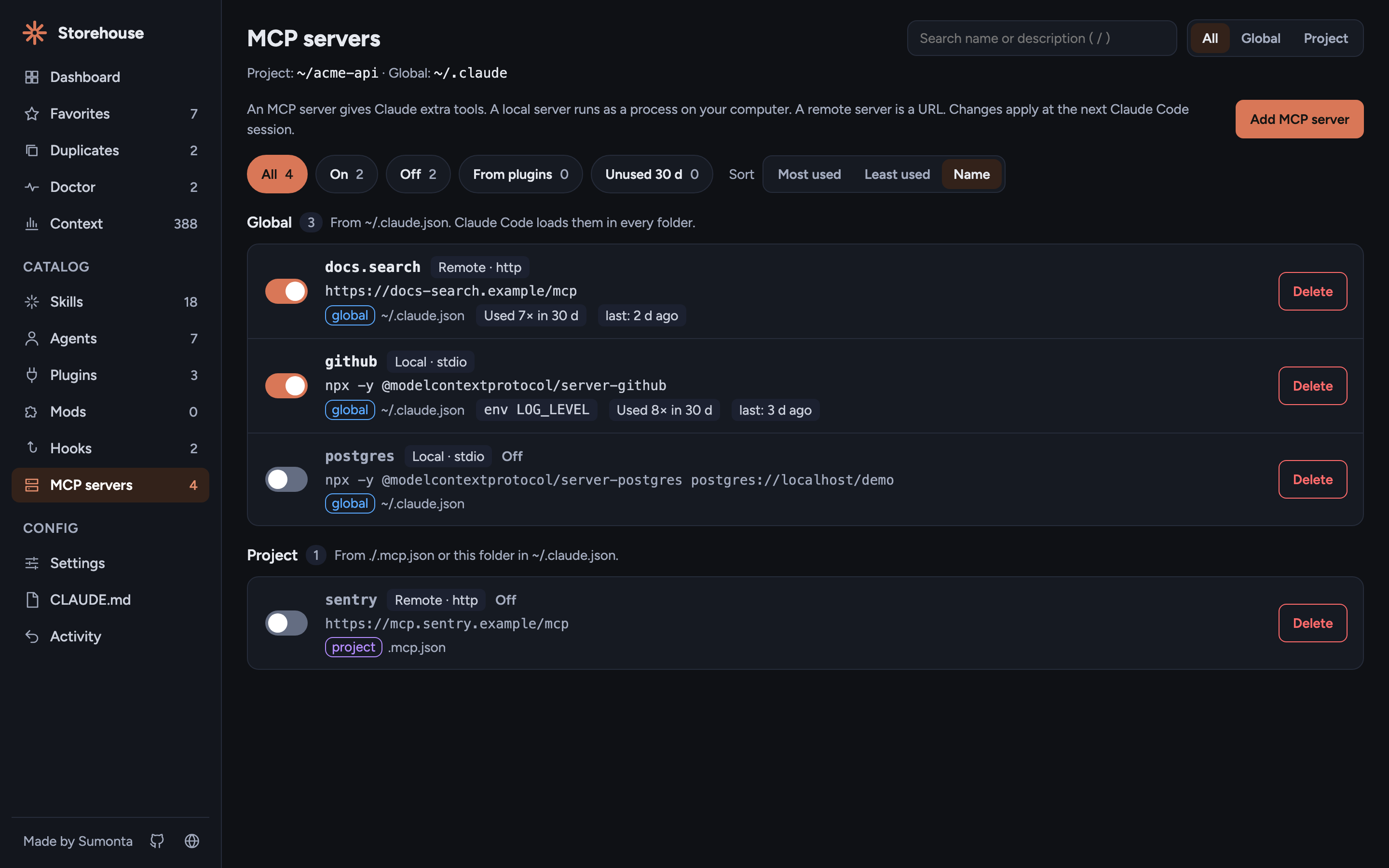
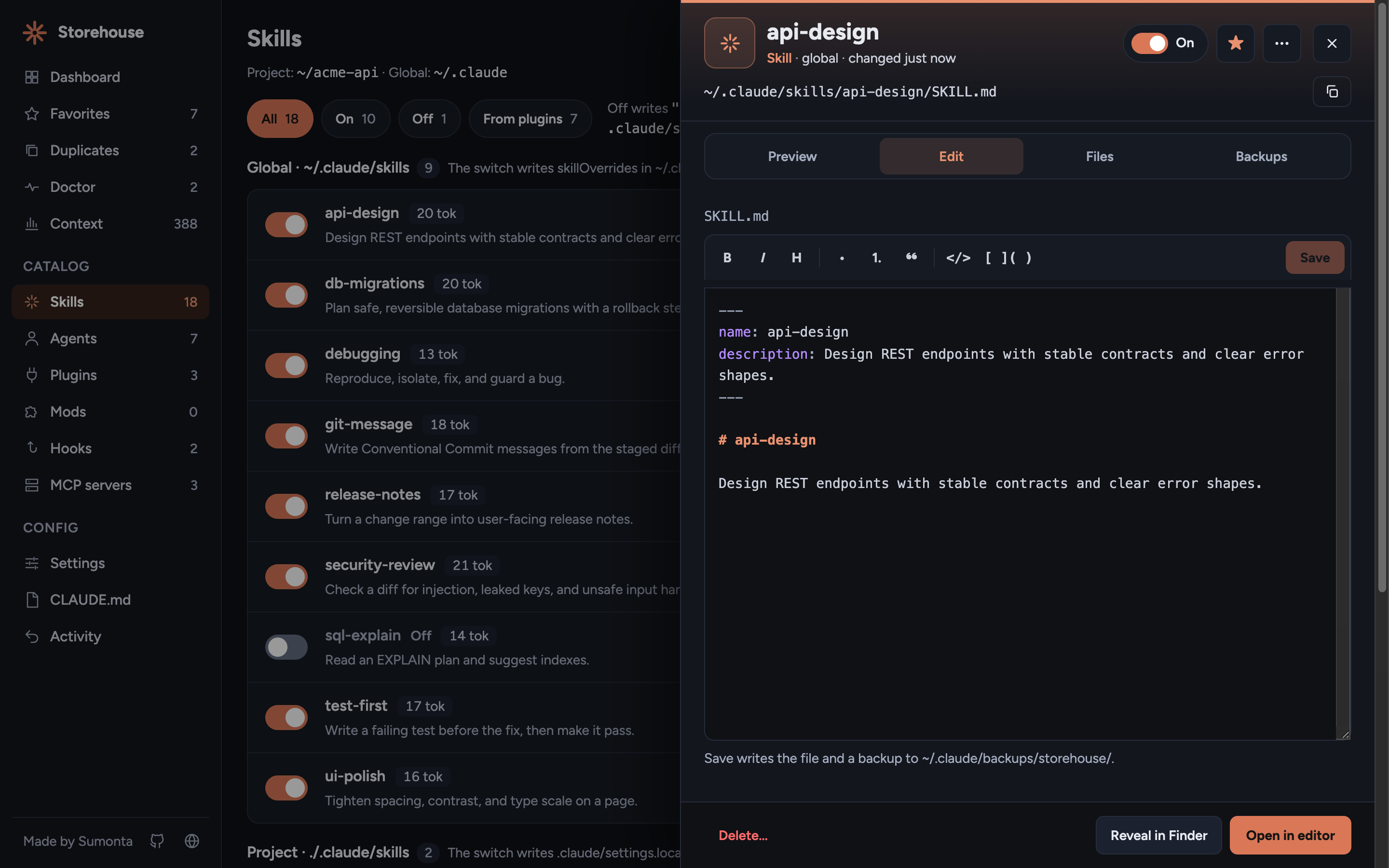
Edit in place, undo anything
Open any file you own in the drawer: a skill, an agent, settings.json, or
CLAUDE.md. Edit it and save with ⌘S. The CLAUDE.md page lists each
CLAUDE.md that Claude Code loads in this folder and creates a missing one.
- Every switch, star, and save shows on the Activity page with Undo
- The latest save of each file can be restored
- Plugin cache files stay read-only
- A JSON file that does not parse is never written
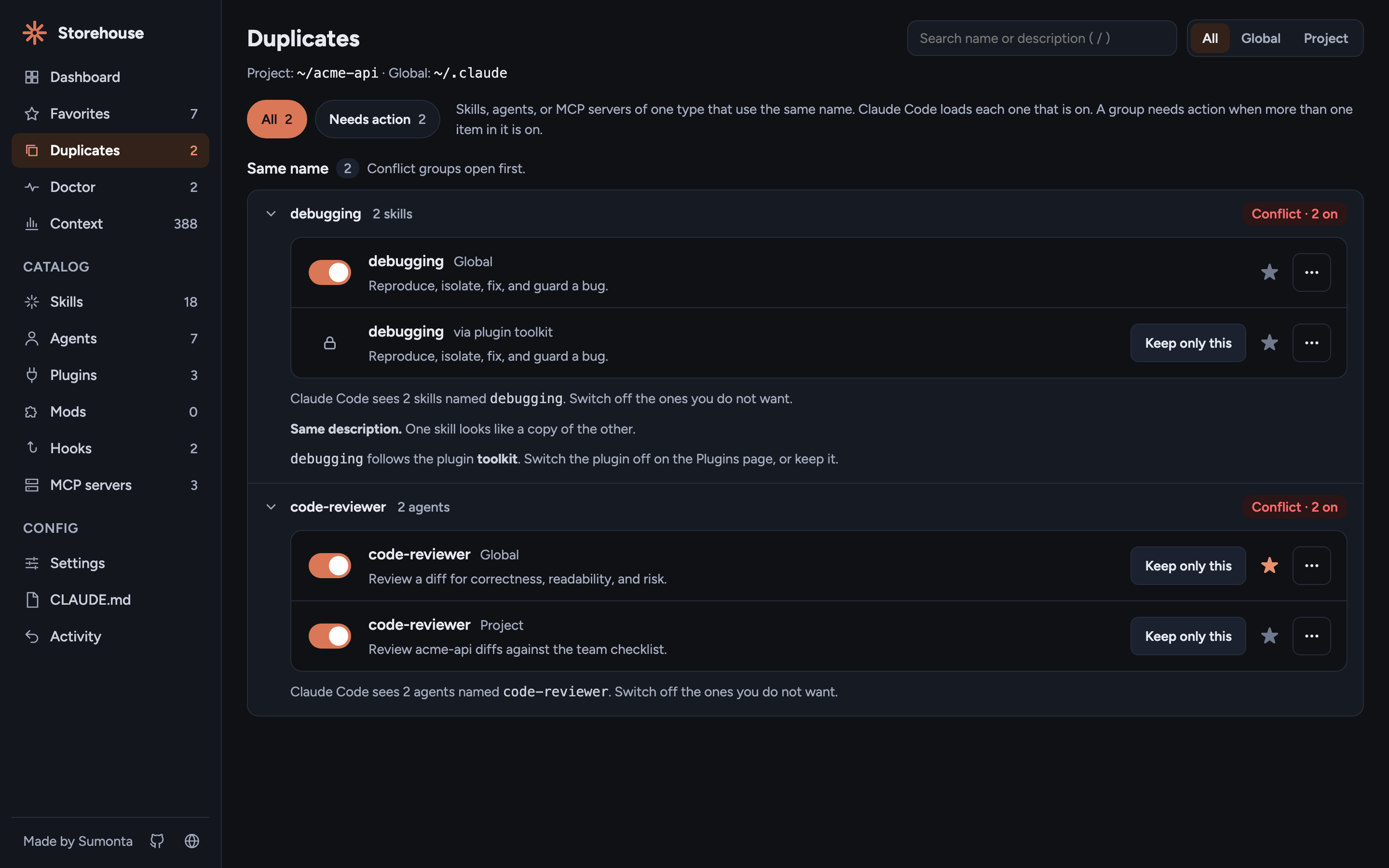
Find duplicates
The Duplicates page groups skills, agents, and MCP servers that use the same name, so you know which one Claude Code loads.
- Conflict when more than one item in a group is on
- Keep only this switches off the others in one click
- Plugin items name the plugin that controls them
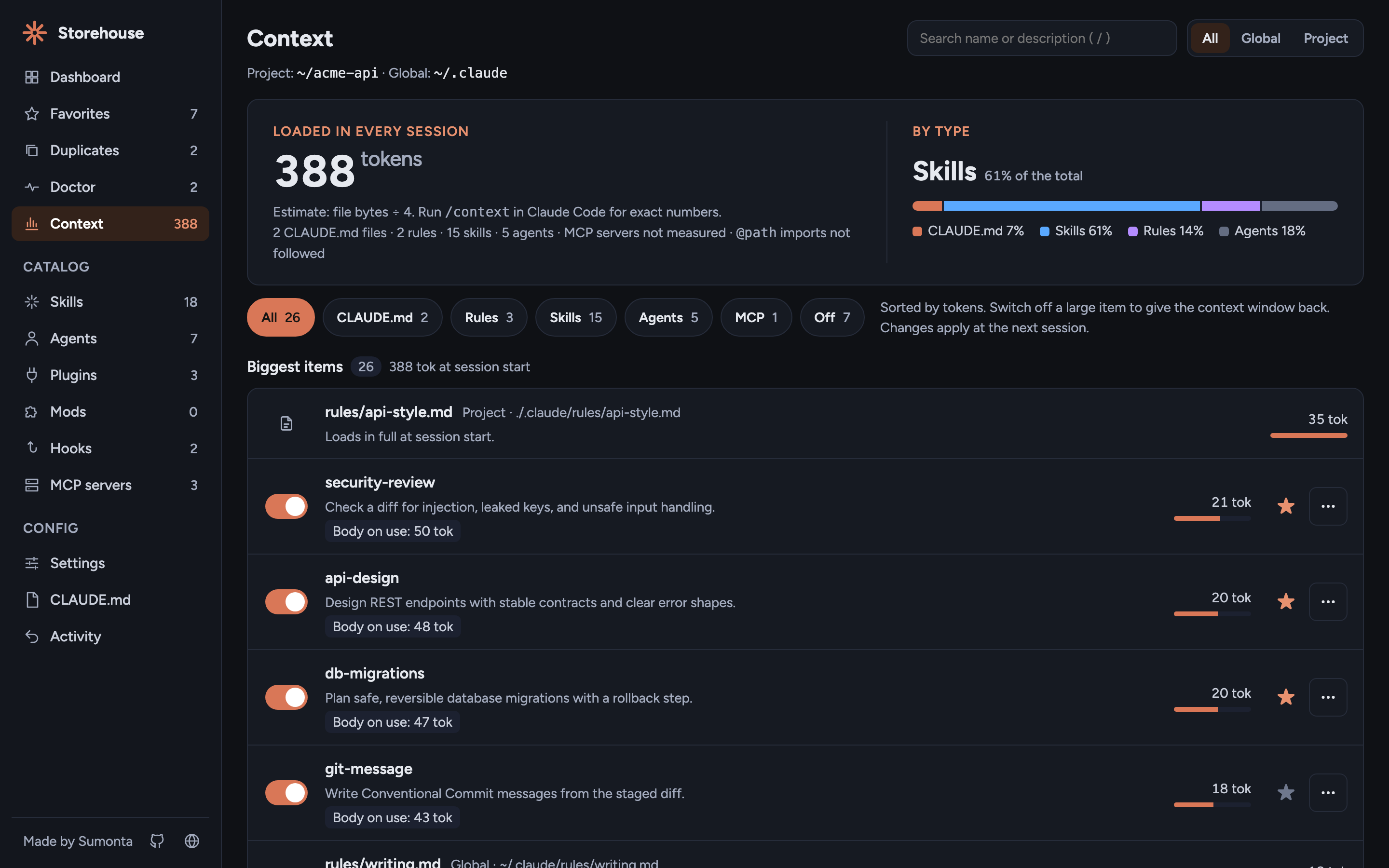
See context cost
The Context page estimates how many tokens each item adds to every session before you type a word, and sorts the biggest first.
- CLAUDE.md files, rules, skill and agent descriptions
- An Off chip shows what each switched-off item saves
- Switch an item off and the total goes down
- A token chip on the Skills and Agents pages
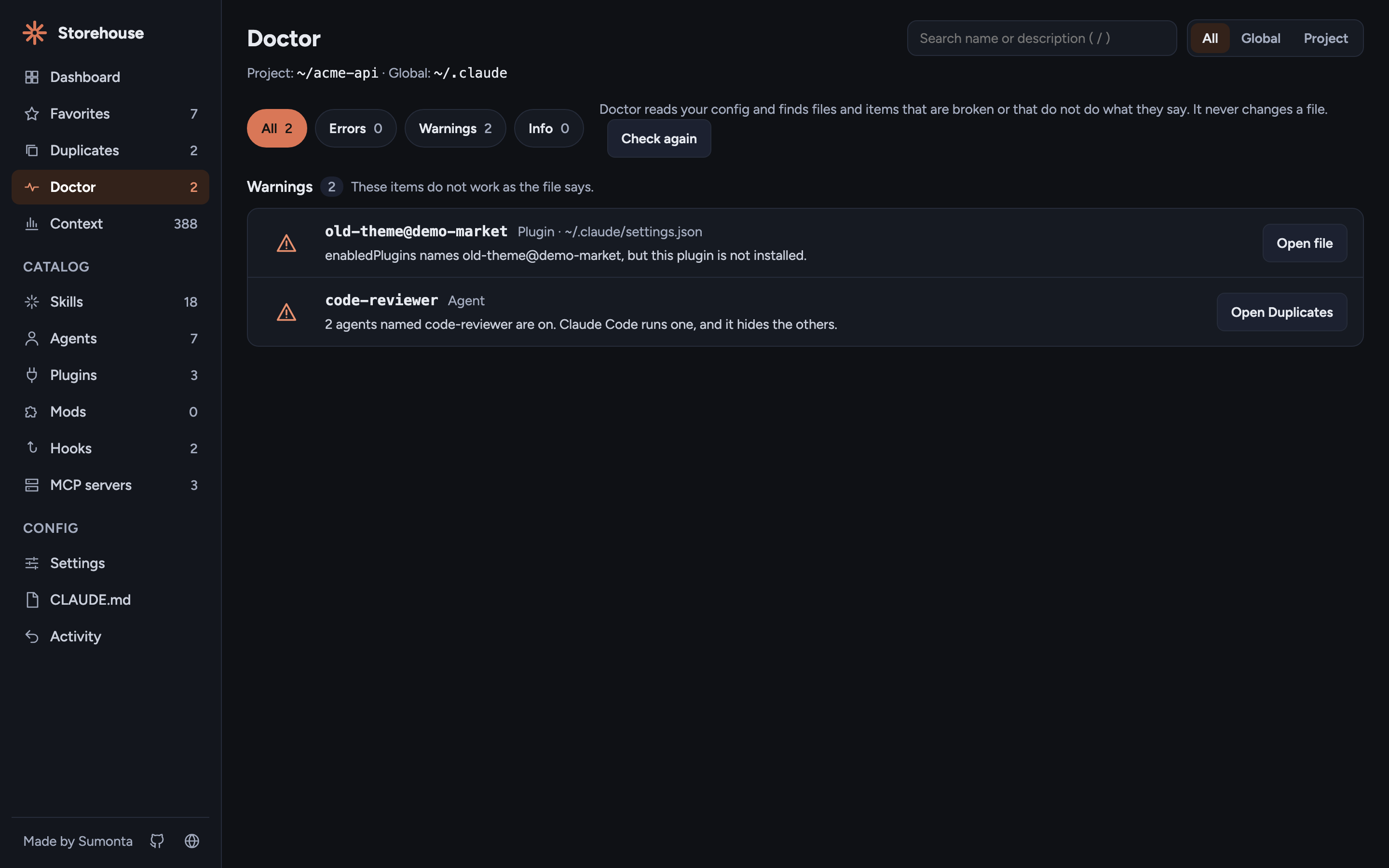
Check your setup with Doctor
Doctor finds config that is broken or that does not do what it says. Claude Code often fails on these without a message.
- Invalid JSON, missing hook scripts, MCP commands not on your PATH
- Unset
${VAR}names, stale plugin and skill keys, same-name conflicts - Each row opens the file or the item
- Read-only: it never writes a file or runs a command
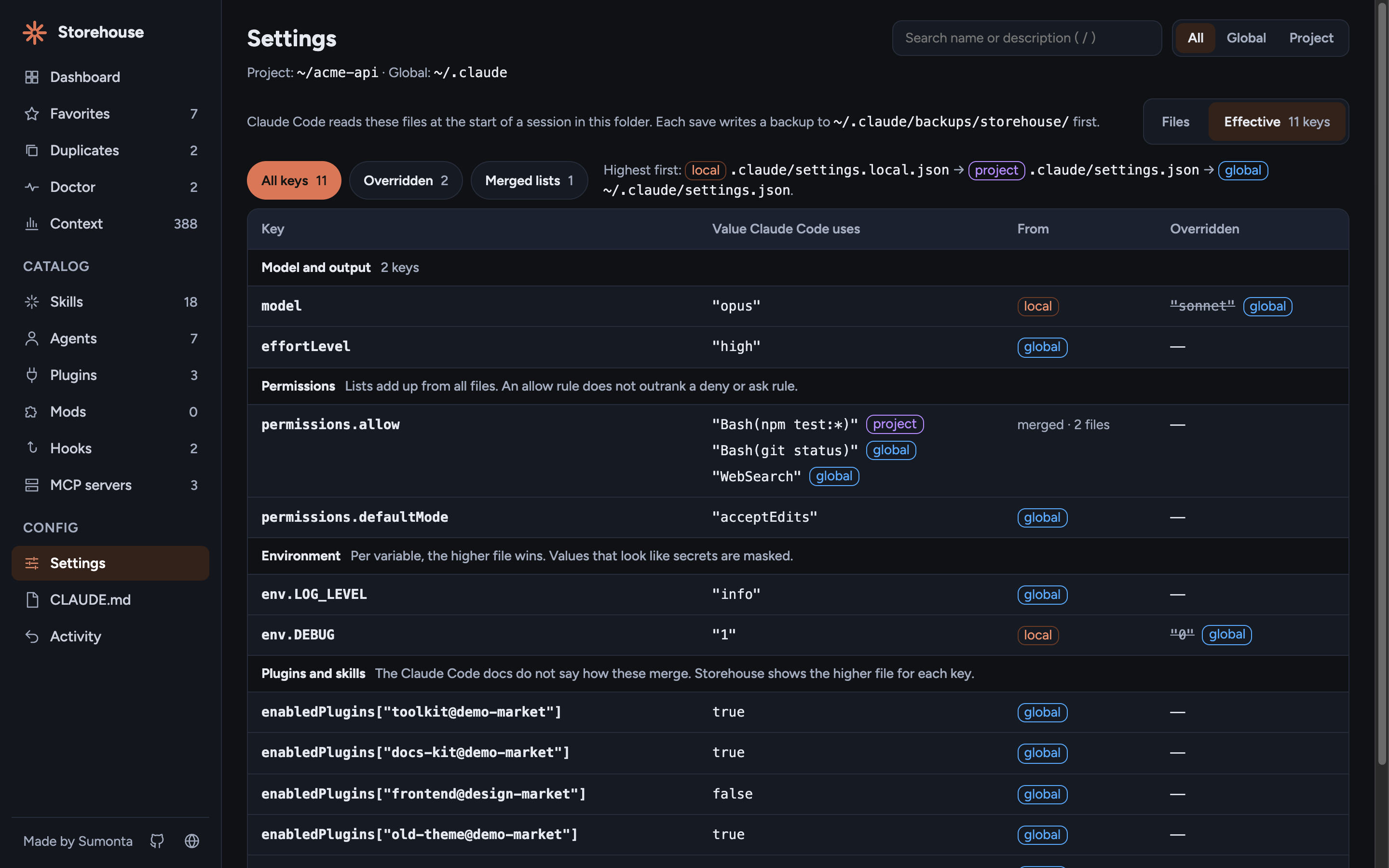
Settings, and which file wins
Three files can set one key. The Settings page shows one file at a time, and the Effective view shows the value Claude Code uses in this folder.
- One form for the global, project, and local file, with plain names and help
- Effective view: the value that wins, its file, and the values it overrides
- Lists such as
permissions.allowadd up from all files - Env values that look like secrets are masked
How on / off works
The keys Claude Code itself reads
Native switches. Plugins, skills, and MCP servers use the keys that Claude Code reads. The dashboard never says "off" while Claude still loads the item.
Scope-safe. Global switches write ~/.claude/settings.json. Project switches write
.claude/settings.local.json, never the shared settings.json.
Safe writes. Each write copies the old file to a backup first, writes a temp file, then renames it. Changes apply at the next session.
enabledPlugins[id] = falseskillOverrides[name] = "off"disabledMcpjsonServersprojects.<dir>.disabledMcpServers
parked in storehouse.jsonname.md → name.md.disabledWrote ~/.claude/settings.json · backup savedThe toast after each switch names the file that changed.
Install
Ready in one command
No install step, no account, no config. You need Node 20 or newer.
-
Check Node
Claude Storehouse needs Node 20 or newer. Claude Code users have it already.
-
Open your project folder
The dashboard shows the global
~/.claudeand the project in the current folder. -
Run the command
npx downloads the package and starts a server on
127.0.0.1.npx claude-storehouse -
Use the page, then stop
Your browser opens on a local address with a one-time token. Press Ctrl+C in the terminal to stop.
CLI options
--dir <path> |
Project folder to manage. Default: the current folder. |
--home <path> |
Folder that holds .claude. Default: your home folder. |
--port <n> |
Port to listen on. Default: a free port. |
--no-open |
Do not open the browser. |
--help, --version |
Print usage or the version. |
Keyboard shortcuts
| / | Search names and descriptions |
| ⌘S / Ctrl+S | Save the open file |
| ⌘B, ⌘I | Bold and italic in the editor |
| Esc | Close the drawer or a dialog |
| ↑ ↓ Home End | Move between items in a list |
Safety and privacy
No server outside your machine, no account, no analytics. Session files give only token counts, tool names, and the skill, agent, or MCP server name of each call. Never prompts or message text.
| Backups |
Each write copies the old file to ~/.claude/backups/storehouse/. The last 20 per file
stay.
|
| Local only | Listens on 127.0.0.1 and rejects a foreign Host header. |
| Token | Every API call needs the random token from the start URL. |
| Doctor | Reads only. It never writes a file or runs a command, and it shows env key names, never values. |
| Env | The Effective view masks env values that look like secrets before they leave the server. |
| Allow-list |
Writes go only to ~/.claude, ~/.claude.json, and the project folder.
|
| Delete | Moves the file to a trash folder. Restore it from the Backups panel. |